With a few tweaks, it resembles the original Windows 10 media controls vibe.
Since I've moved to Windows 11 after Windows 10 support ceased (at the time), I've been trying to find ways to tweak some of my favorite parts of Windows 10 into Windows 11, one of which is the volume control when hitting the volume keys on your keyboard that displays what is currently playing along with the visual on-screen volume control.
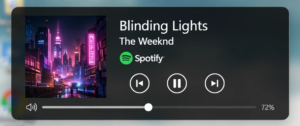
Upon searching options, I've seen a lot of people absolutely H-A-T-I-N-G on this Windows 10 feature on Reddit, but to each their own.
After sifting through various apps, I've decided upon the FluentFlyout app, which is free from the Microsoft Store, with a few small options disabled unless you pay the $3.99 one-time fee to enable them.
With a few tweaks, it resembles the original Windows 10 media controls vibe.
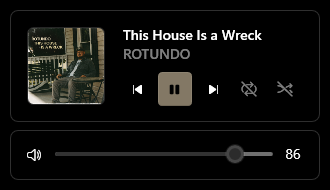
Below is a video of the behavior when switching between tabs in your browser, not to mention when you're running media from other sources from the actual Spotify app in Windows.
(Note the top of the screen.)
There is a way to get all of the options for free if you go through the process of installing a license from a downloaded .zip file from GitHub, then run a .bat file as Administrator to install. The drawback to this method is that you'll have to repeat the process for updates, but the app has an option to notify of you updates.
I figured I'd just pay the $3.99 and streamline updates from the Microsoft store.
Along with other tweaks, such as creating a shortcut to the (removed) taskbar Windows virtual desktops toggle, which I may post about at a later time, it's starting to feel like home again.
Share To
About the Author

Currently a Lakewood Ranch, Florida resident, Philip has authored various interactive blog websites since the early 2000’s. Most content will be based primarily on matters of opinion as usual.





