I'm a huge Cloudflare fan when it comes to hosting DNS for domains & websites, but there is also some conveniences to using Cloudflare's public IP addresses to host DNS for your home network.
Of course it's obvious by now, I'm a huge Cloudflare fan when it comes to hosting DNS for domains & websites, but there is also some conveniences to using Cloudflare's public IP addresses to host DNS for your home network.
Below are some quick settings dependent on what your home networking needs may be.
Reference: https://developers.cloudflare.com/1.1.1.1/ip-addresses/
I am only going to list the IPv4 versions since the average user might be confused by the IPv6 options.
Fast & Private Internet Browsing
Primary: 1.1.1.1
Secondary: 1.0.0.1
Automatic Malware Blocking via Cloudflare's Proxy
Primary: 1.1.1.2
Secondary: 1.0.0.2
Block Malware and Adult Content
Primary: 1.1.1.3
Secondary: 1.0.0.3
Now some of you may be confused as to how to implement these settings. It will typically require logging into your ISP-provided router's web interface or app and navigating to "internet settings" and setting the DNS for the internet connection to "manual", which will typically provide you with two fields to add your custom IP addresses.
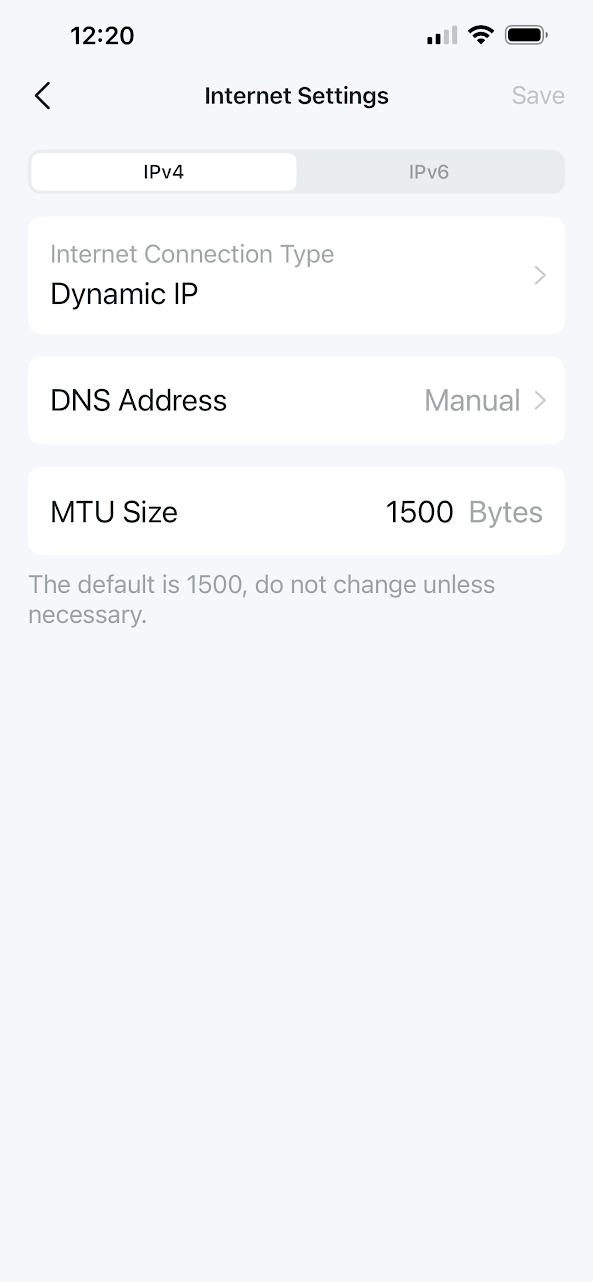
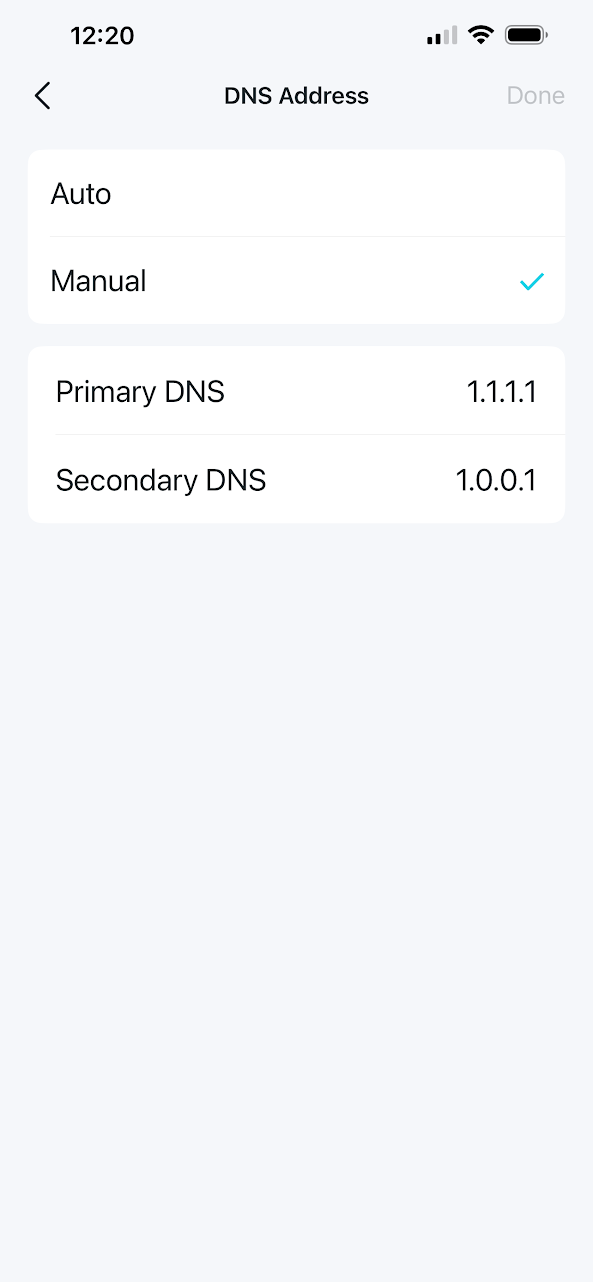
Save the settings and you're done!
Share To
About the Author

Currently a Lakewood Ranch, Florida resident, Philip has authored various interactive blog websites since the early 2000’s. Most content will be based primarily on matters of opinion as usual.





