No keyboard in my 28 years of computing has ever become such an extraordinary part of my daily computing process as that of the Logitech K811 keyboard. In fact, I've never really thought about keyboard usage all that much until that day came when I became sick & tired of those God-awful mechanical keyboards.
No keyboard in my 28 years of computing has ever become such an extraordinary part of my daily computing process as that of the Logitech K811 keyboard. In fact, I've never really thought about keyboard usage all that much until that day came when I became sick & tired of those God-awful mechanical keyboards. At that point, pretty much anything would have sufficed compared to the tower keys that those involved, and they did for quite some time.
Then one day, a few months after I relocated to Minnesoouuda in 2014, I bought the Logitech K811 during an awkward phase where I computed on an iMac running native Windows (yep, no emulation). The iMac was a short, few-year phase but was the main reason why I went with the Logitech K811 as opposed to the Windows-based K810. Having become accustomed to it, I didn't even think of it as a "Mac" keyboard and haven't ever since either.
12 years later, I started coming to the realization after one of the feet fell off the bottom of it, that it was just getting a little grimy after years of use, and I had to start considering a backup option. I did, indeed, have a backup option in that I had purchased two of them--one for travel, and one for dedicated office computing, but they were both showing signs of wear, and I had to think of the future.
And when thinking of the future a few years ago, the prices of the K811 weren't even an option--doubling my original purchase price. If they weren't so expensive I would have stocked up considering the price hikes but the pricing was just ridiculous.
...but not as ridiculous as the pricing is now!
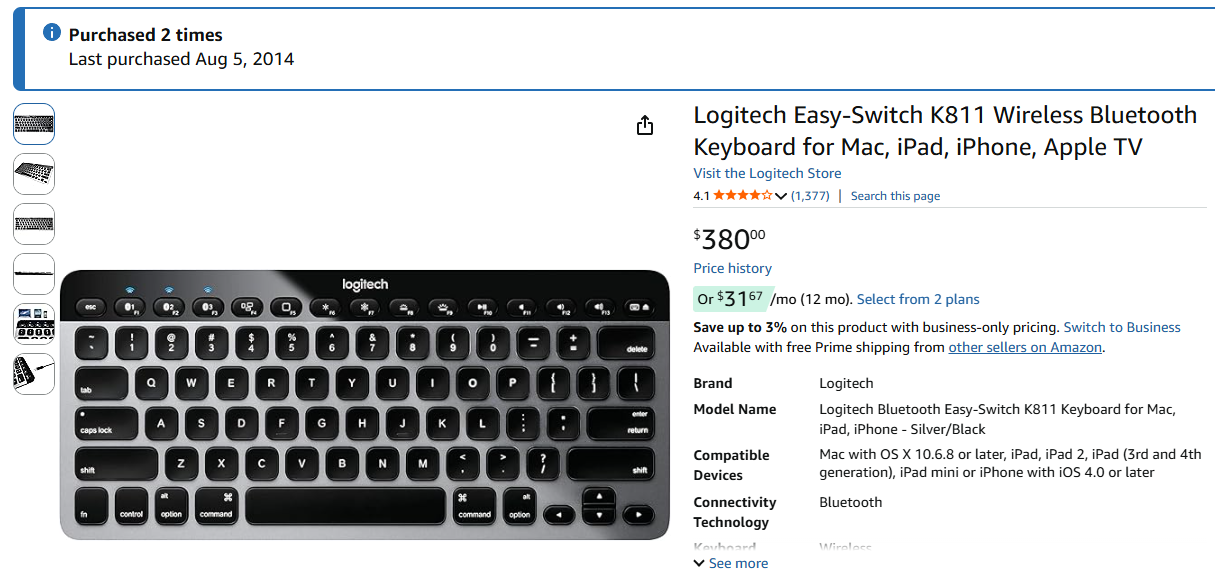
I could probably get a few more years out of the two K811s that we have in the house. But my OCD mind says, "I need to rely on my hardware", so I went into research mode, searching Walmart's website, Amazon, Googling, and apparently my requirements were all too high.
REQUIREMENTS
Multi-device compatible (can switch between at least 3 devices--phone, laptop, iPad, and/or PC)
Small & low-profile
Backlit keyboard
2.4ghz/dongle option: This became my new requirement since Bluetooth keyboards, including the Logitech K811, can't access the BIOS (the OS that runs the hardware when the PC boots up). I've had to always keep around a dedicated 2.4ghz keyboard with a USB dongle/receiver for that purpose & got tired of having to do so, but...
I can't tell you how far & wide I searched for these basic options. I did end up buying a few cheap Chinese keyboards that fit all of those requirements, but they weren't typing friendly, indicators were subpar, and there was a lot of delay in the wireless connection, so they became my new, dedicated "BIOS" backup keyboards that I hardly ever use.
Every 6 months or so, I'd revisit my searches for the ideal keyboard to no avail until February 24th, 2026 where I finally found something that fit the criteria, minus the 2.4ghz dongle requirement (I gave up). I bought it for $5 bucks less than the Logitech K811 back in 2014 and, in ways, it seemed to be an improvement, but you just can't know for sure until it has been delivered and you've put some time into it.
I knew when I purchased it, that if it could stand up against the Logitech K811, I would buy 3 more of them, just so I could have the "ultimate" keyboard until I'm 103 based upon the Logitech's 12 year plus life span thus far, and I think we all know that technology just doesn't change that much in 48 years so keyboards will still be a thing when 2074 rolls around {sarcasm off}.
With that said, I introduce the Satechi Slim X1 Bluetooth Backlit keyboard for Mac (PC in my case).
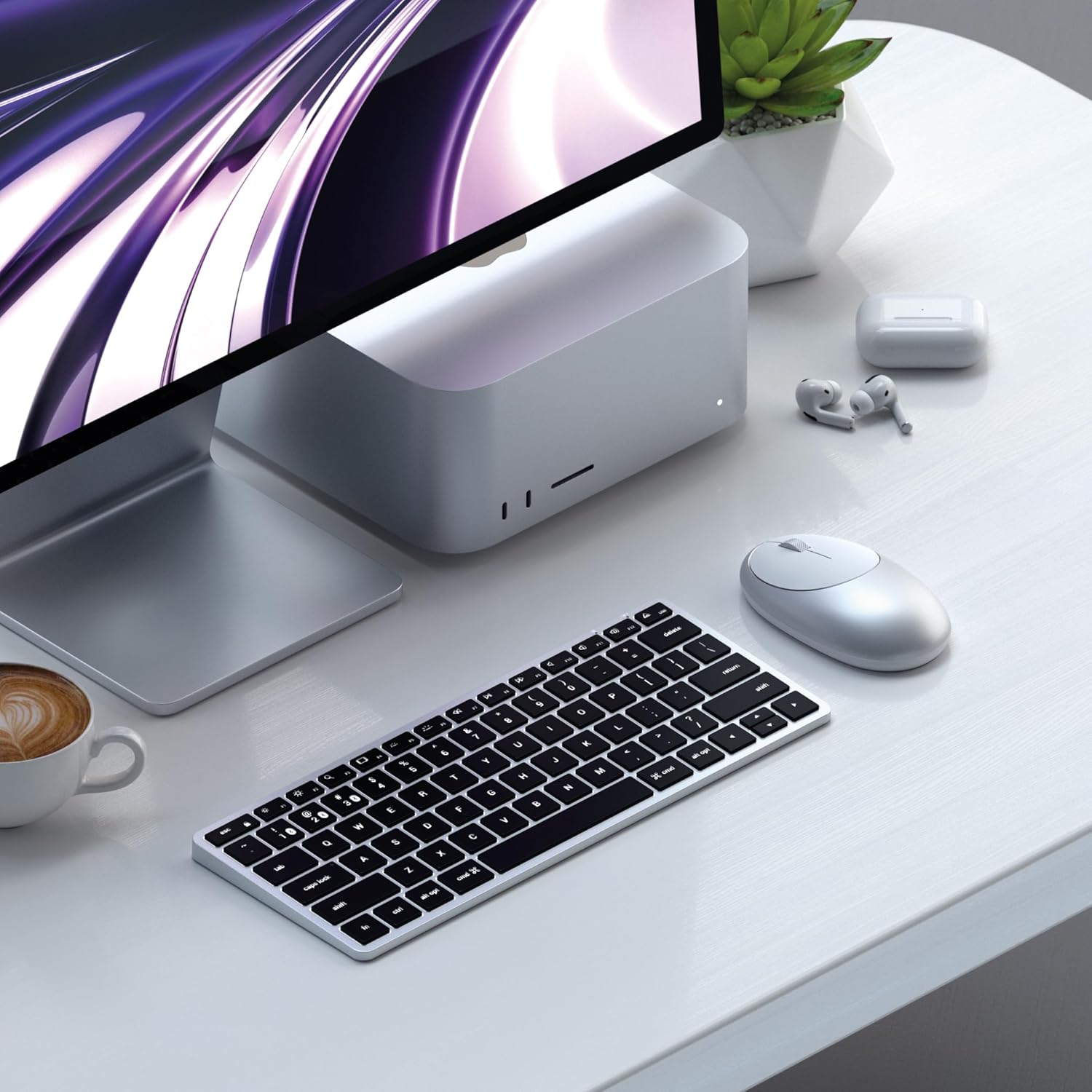
The first thing I did was compare the sizing of the Satechi Slim X1 to the K811. Smaller in pretty much every way, which to me, was the point.
A friend of mine came over a few weeks ago and freaked out at how small the K811 was when it came to my gaming/PC setup, and I stated that it was intentional. I much prefer low profile over a wide keyboard, especially when it comes to gaming where I twist into weird positions with my mouse over time, leaving little room for a full width keyboard.
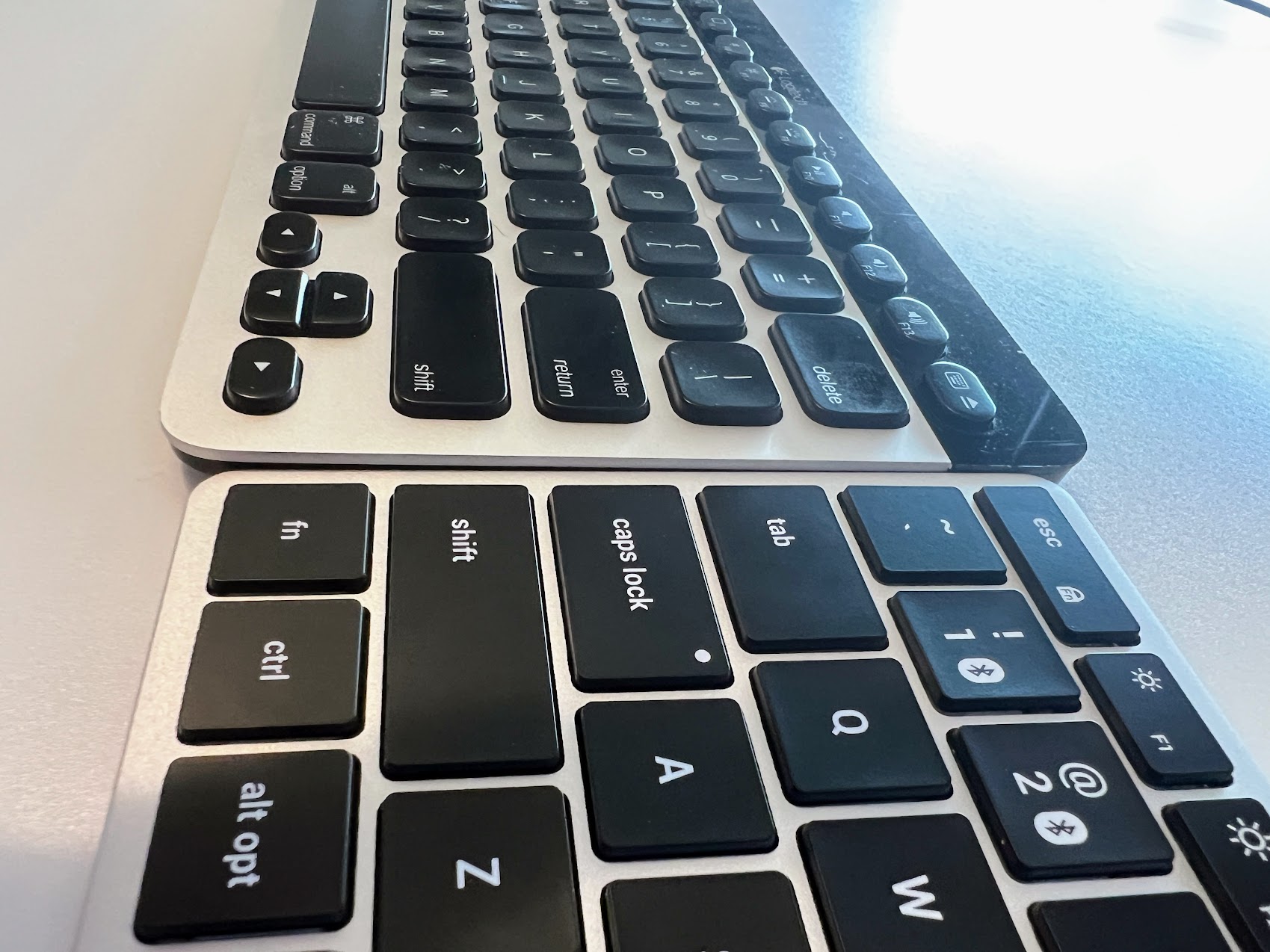
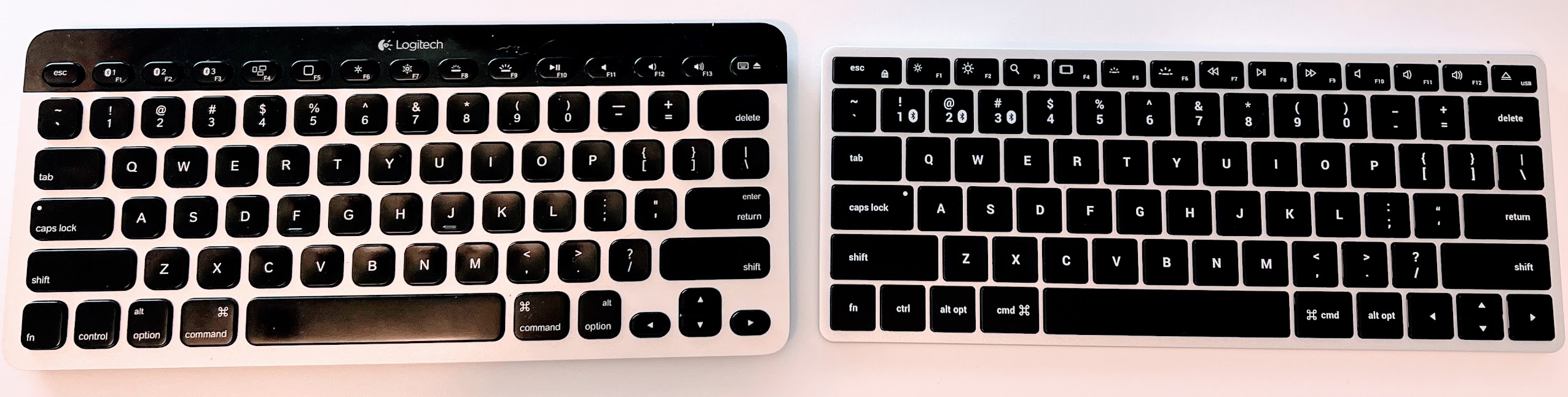
Looking at the vertical profile, the Satechi beats the K811 drastically, which I didn't really think was possible, but the reason behind that is that it isn't wasting any space when it comes to aesthetics and logo placement like the K811 does. It is shorter height wise, it is shorter vertically, and it is slightly shorter when it comes to width.
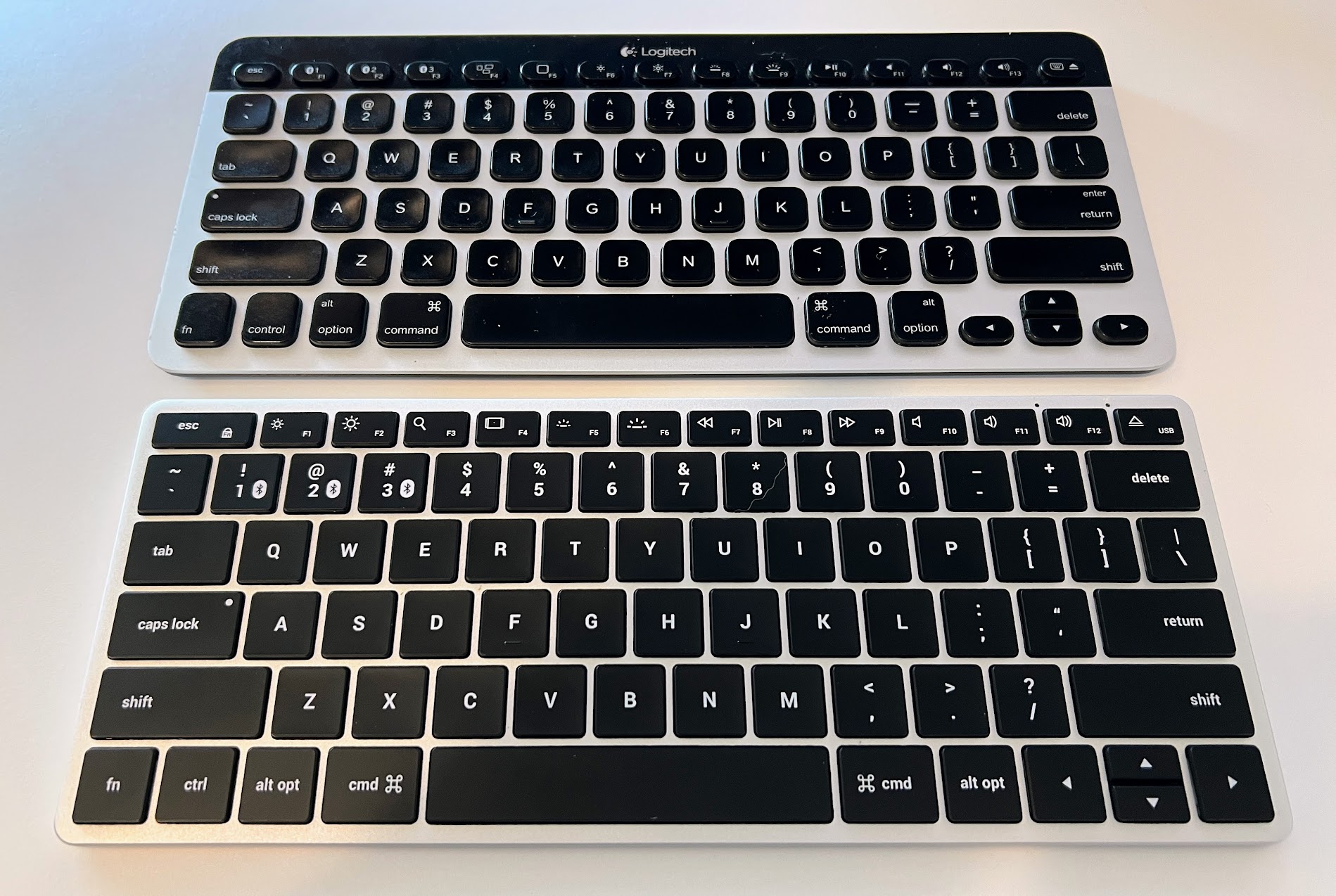
While the cosmetics satisfied my requirements, a relationship with a keyboard is a very personal one. You have to date it for a while to see if you're compatible or not. Will it live up to your ex? Only time will tell, and my 12-year ex set the bar for everyone else, I must say.
Our relationship started off fairly well. It was the equivalent of my prior relationship, and in some ways better. But in other ways, the Logitech K811 had a niche place in my heart. Those dips in the keys. Kind of like a soup bowl, they have an obvious cave where your fingers can feel their place from one key to the next. The Satechi barely has any dips on the keys. It's virtually flat, if barely a dip in the keys.
There is also a larger amount of spacing between the keys on the Logitech K811, which deters from accidental keystrokes where keyboards such as the Satechi, that has less key isolation can cause typos, of which I've experienced a lot of when adjusting to our new relationship.
Is it a deal breaker? Not at this point after a few weeks. Sometimes I have to double check when typing as to which keyboard I'm typing on in that we have adjusted well. I do like the fact that the Satechi is a little bit more "springy" whereas the Logitech was more of a "flat" feel, yet quieter, when typing. On the Logitech I would typically type a word in just a fraction of a second whereas on the Satechi it takes a few more milleseconds and some corrections, but I think that will resolve in time in that speed typing is quickly matching up to par with the Logitech as we get to know each other.
Verdict?
I bought three more Satechis while the price is still under $380.00 dollars.

Share To
About the Author

Currently a Lakewood Ranch, Florida resident, Philip has authored various interactive blog websites since the early 2000’s. Most content will be based primarily on matters of opinion as usual.





